LUMA PLAYER stores
Many server-free ad stores whose issue calls all land at head office
Keep LUMA Care On and check with the remote screen and log analysis
Fewer trips to the store for small problems
Remote management
Remote management and support for your boxes — switched on only when you need it
At a glance · LUMA Care
LUMA Care is a service that manages and supports LUMA boxes in your stores remotely — only when you need it. Day to day a box stays in “Standby”, sending only a sign that it's alive. Once your administrator switches Care on in the console, you can view and control the screen remotely, use quick settings, manage files, install apps and run AI log analysis. A badge shows on the box screen during remote support, and with “approve every time” on, each session needs an administrator's approval. “Fully off” can only be changed on the store's box with the admin PIN.
Who it's for
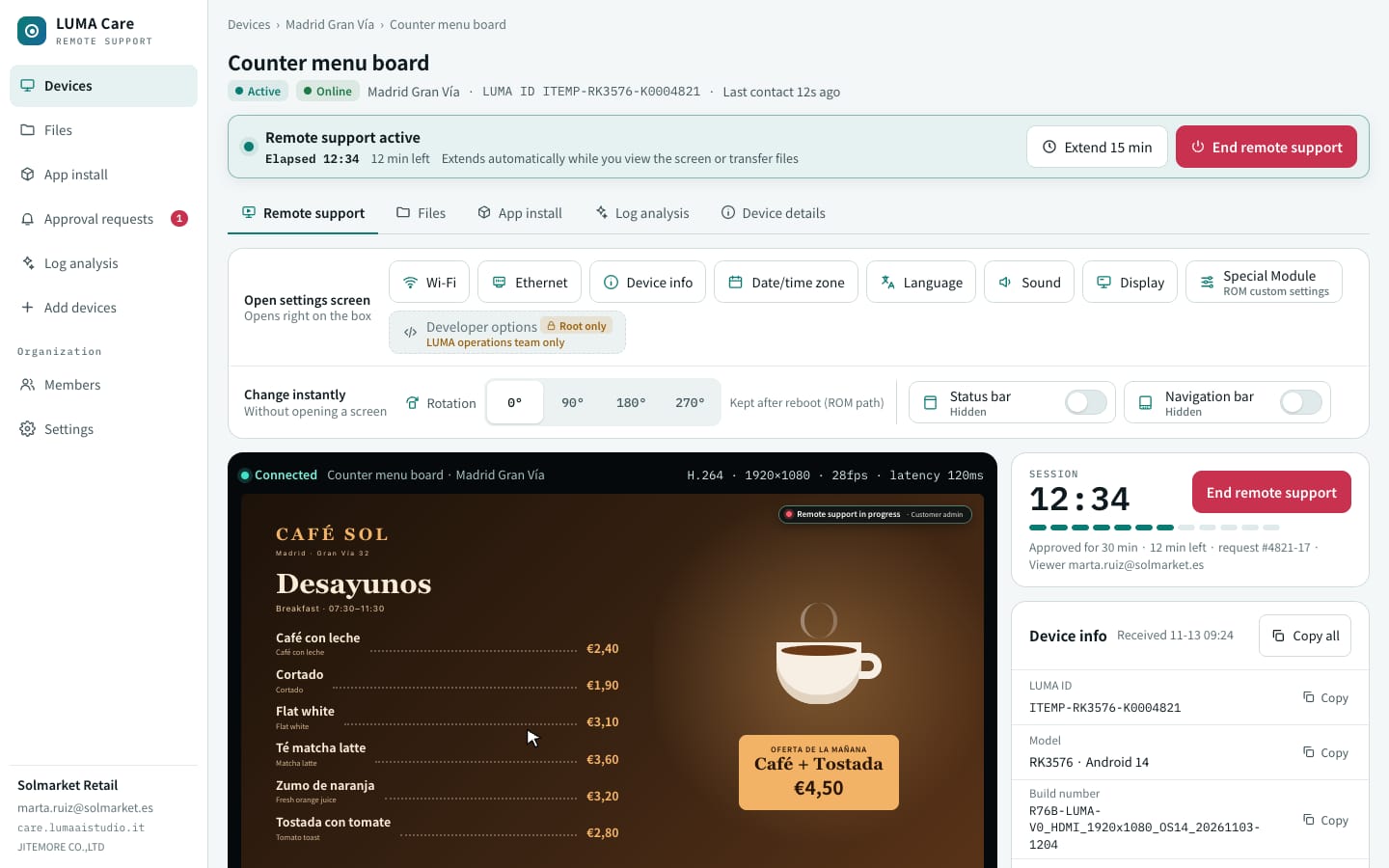
Real product screens · demo data (fictional organization and stores)
If this sounds familiar
Key features
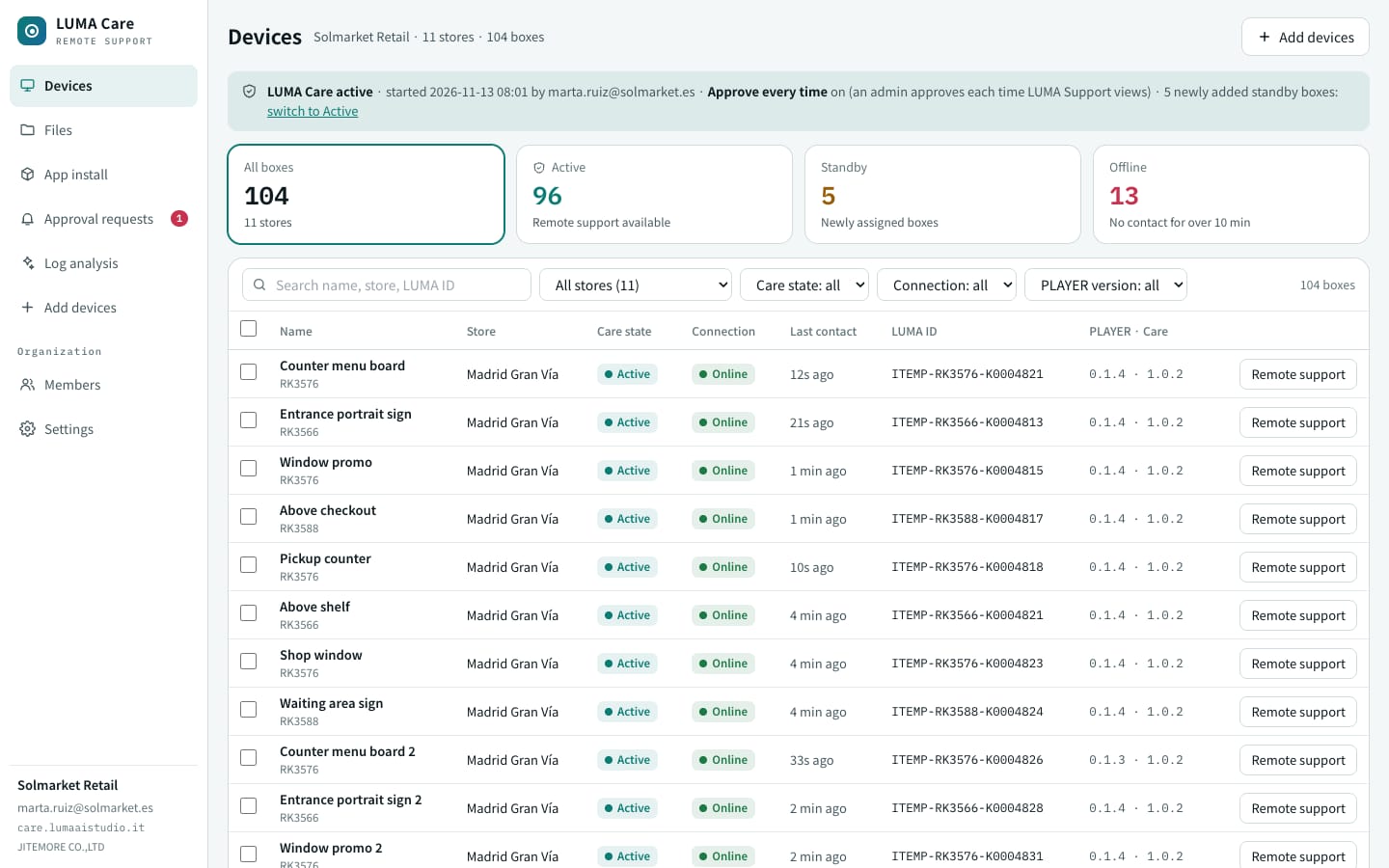
In Standby the box sends only its LUMA ID, app version and online status — no screen, logs or files. Remote support opens only when Care is On.
When your administrator agrees and starts Care, every standby box in the organization switches over at its next check-in. No store visits.
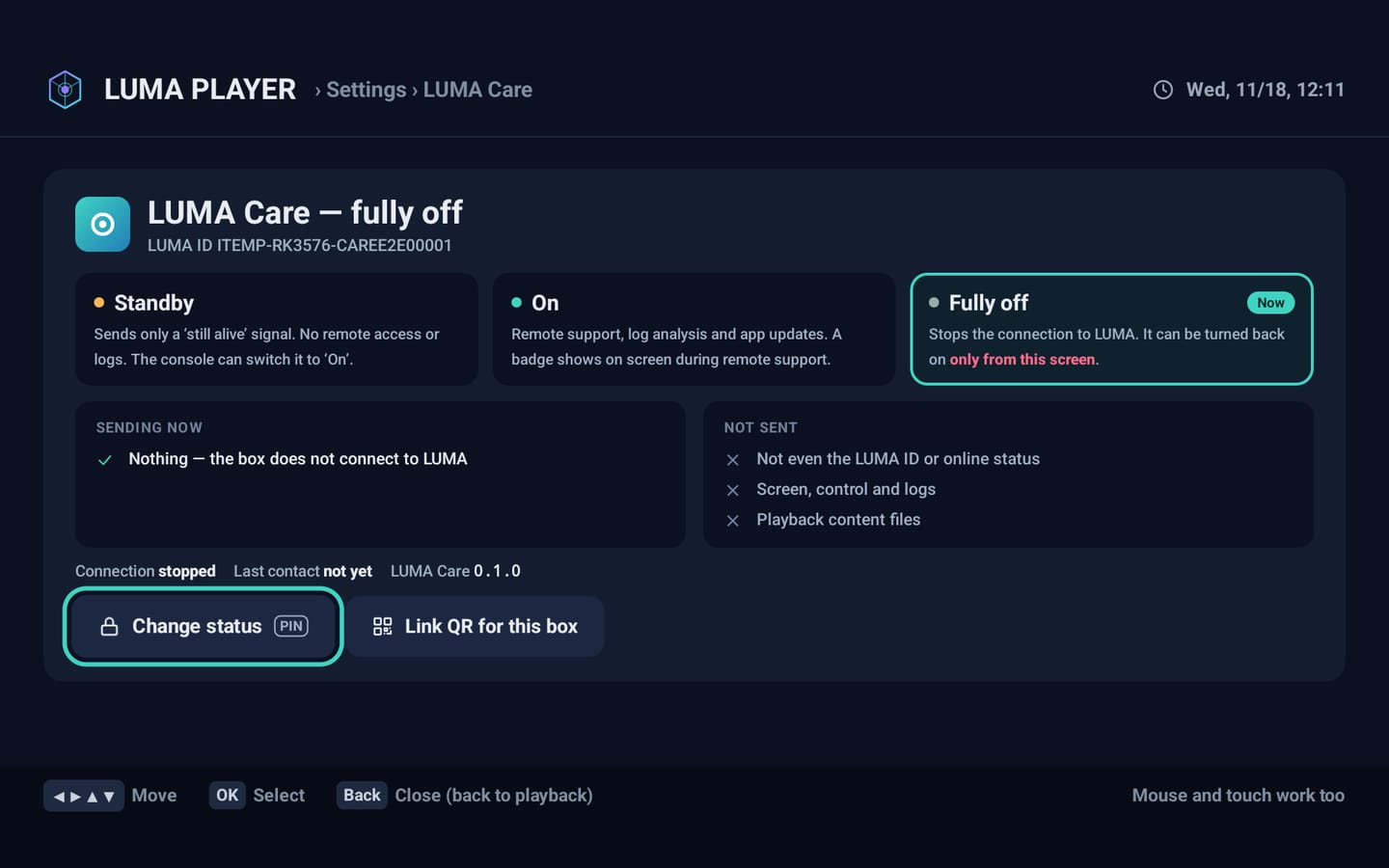
Fully off stops the box from connecting to LUMA at all. Turning it back on is only possible on the store's box screen, with the admin PIN.
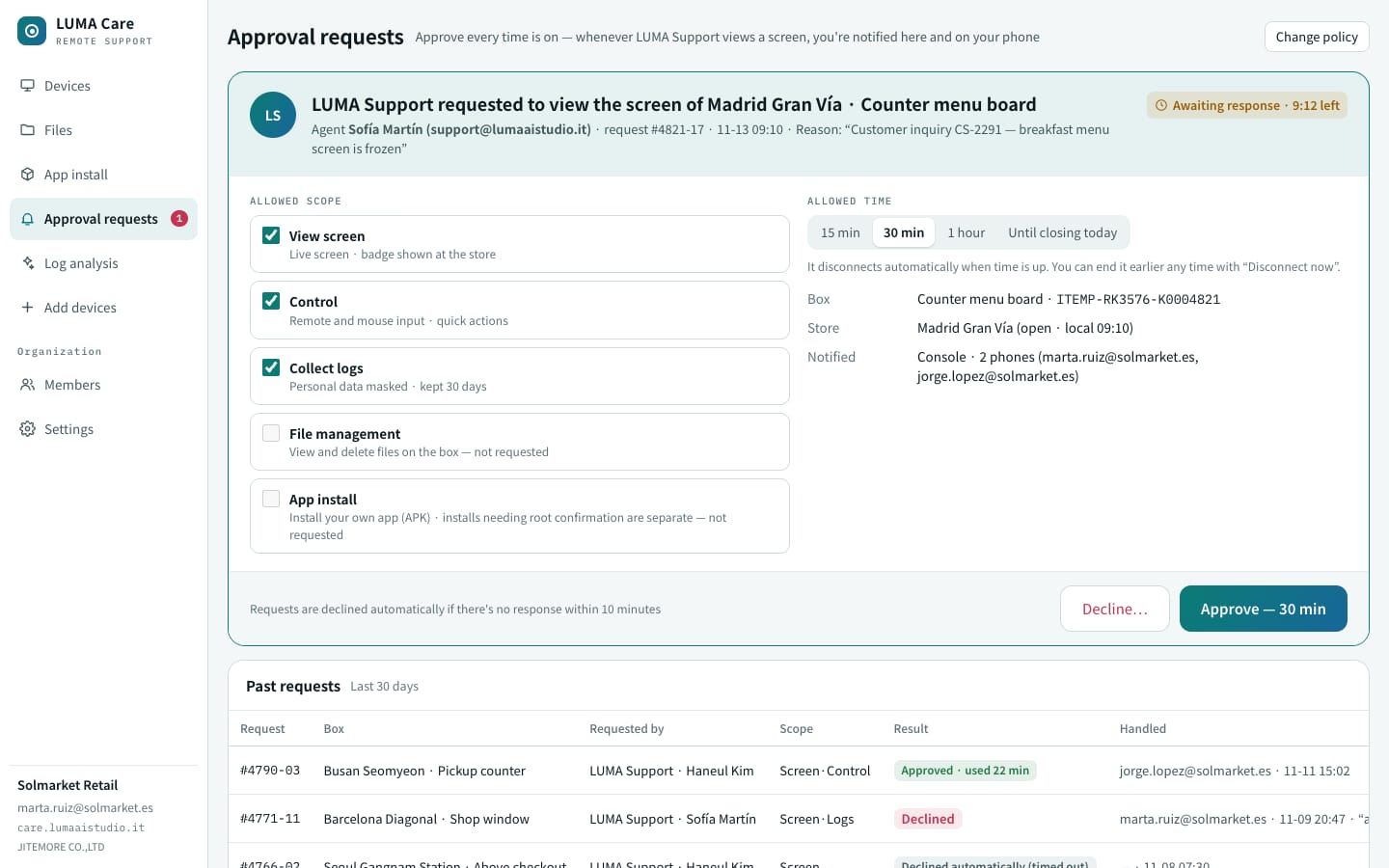
With it on, each remote support request shows its scope (view, control, logs, files, app installs) and time, and your administrator approves or declines.
Who changed the status and who gave remote support, and when, is kept together with the consent record.
Tap, drag and type while you watch the box screen. Back, Home and Recent apps buttons are there too.
While someone is viewing remotely, a “Remote support” badge shows in the corner of the box screen so the store knows.
Open the box's Wi‑Fi, Ethernet, date and time zone, language, sound and display settings with one button. Screen rotation (0°, 90°, 180°, 270°) and showing or hiding the status and navigation bars change instantly.
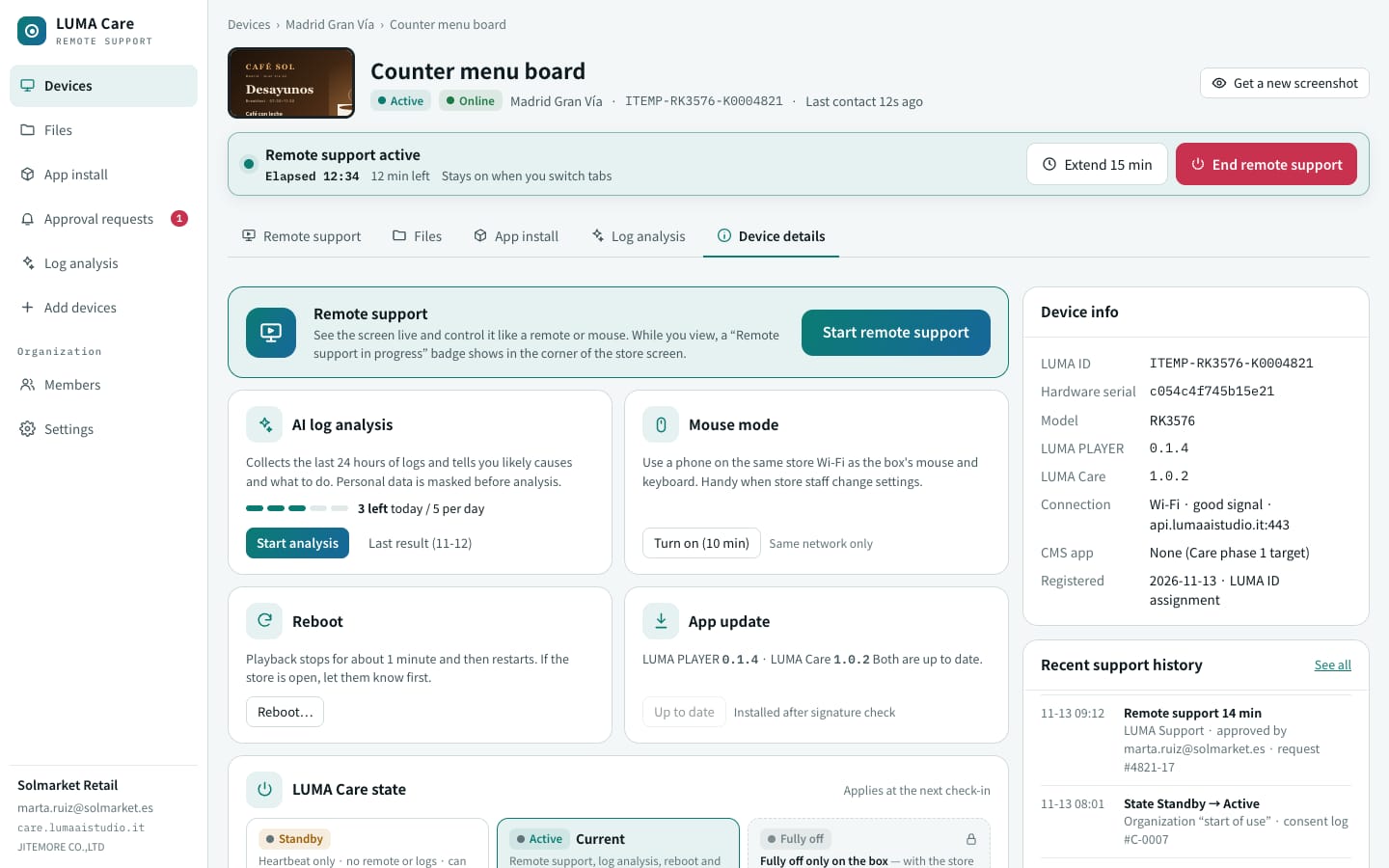
LUMA ID, model, build number, hardware serial, IP, MAC, Wi‑Fi, storage, memory and more on one card — copy line by line or all at once.
Sessions run 15 minutes at a time and extend with “+15 min”. They extend automatically while files or apps are uploading, up to 4 hours in one go.
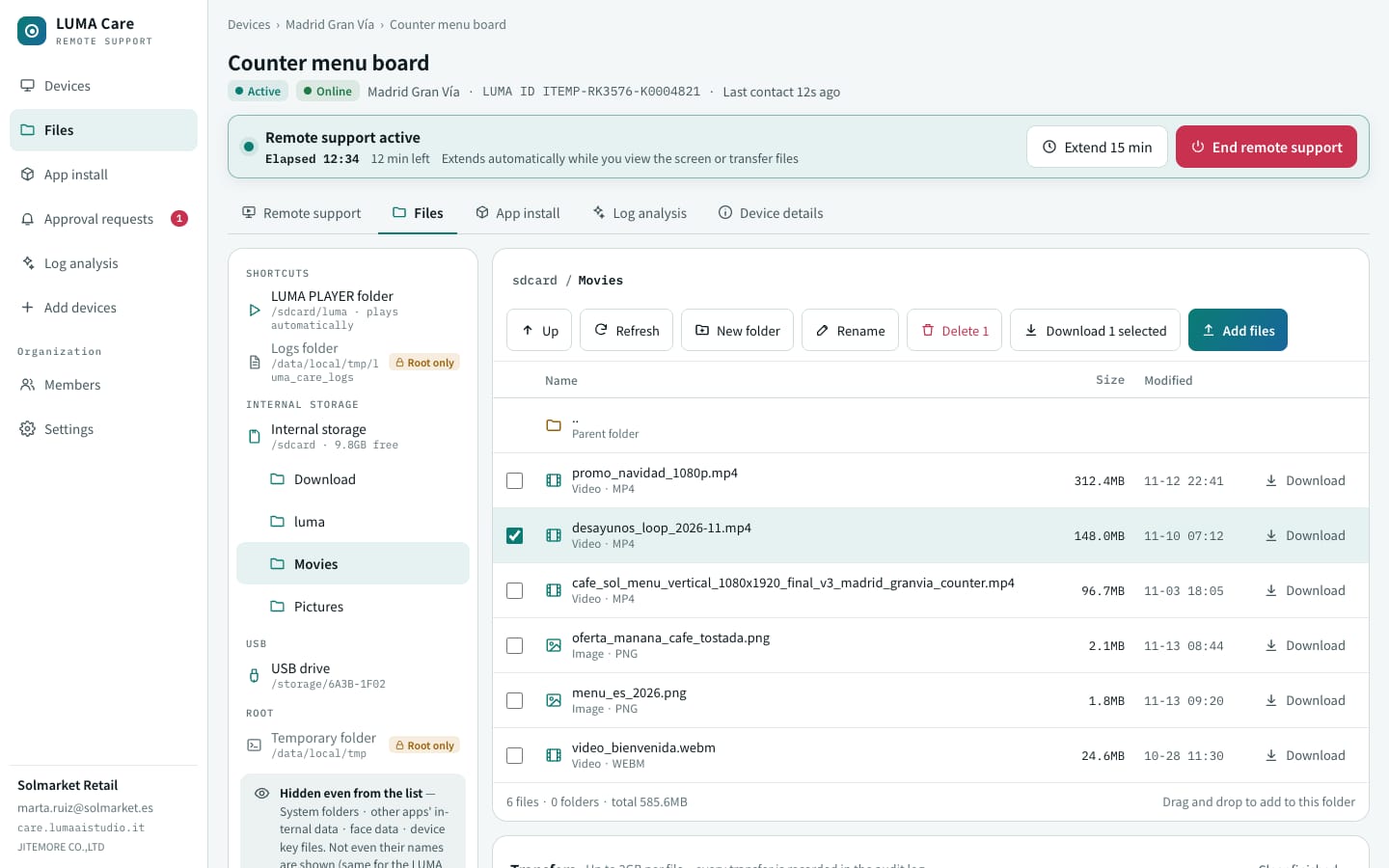
Browse the box's internal storage and USB drives as folders: upload, download, rename, delete and create folders. Shortcuts take you to the LUMA PLAYER “luma” folder and the log folder.
Send files of up to 2 GB each; interrupted uploads resume. Files passing through the server are deleted within 24 hours.
System folders and key and identity files are hidden from the list and can't be written or deleted.
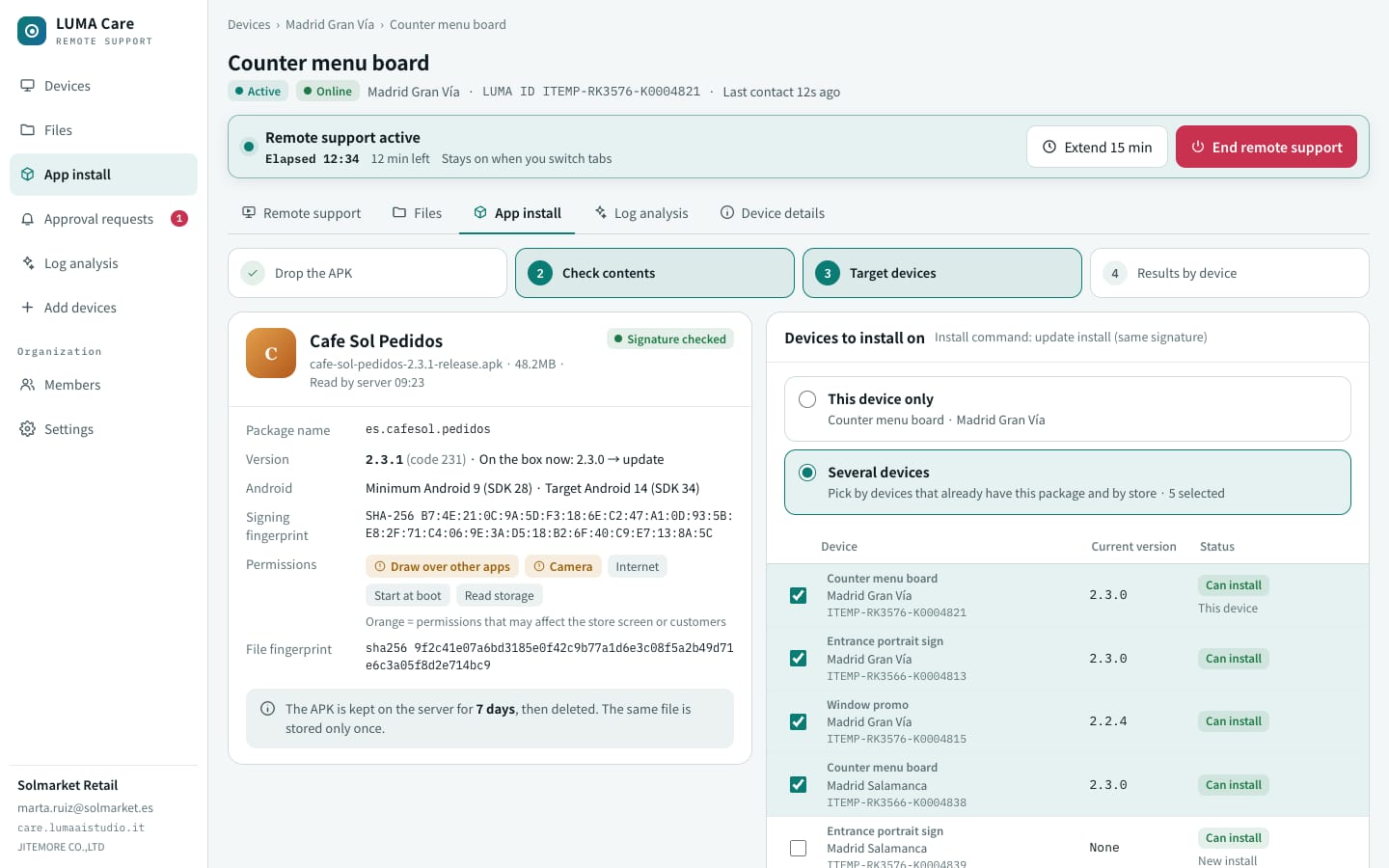
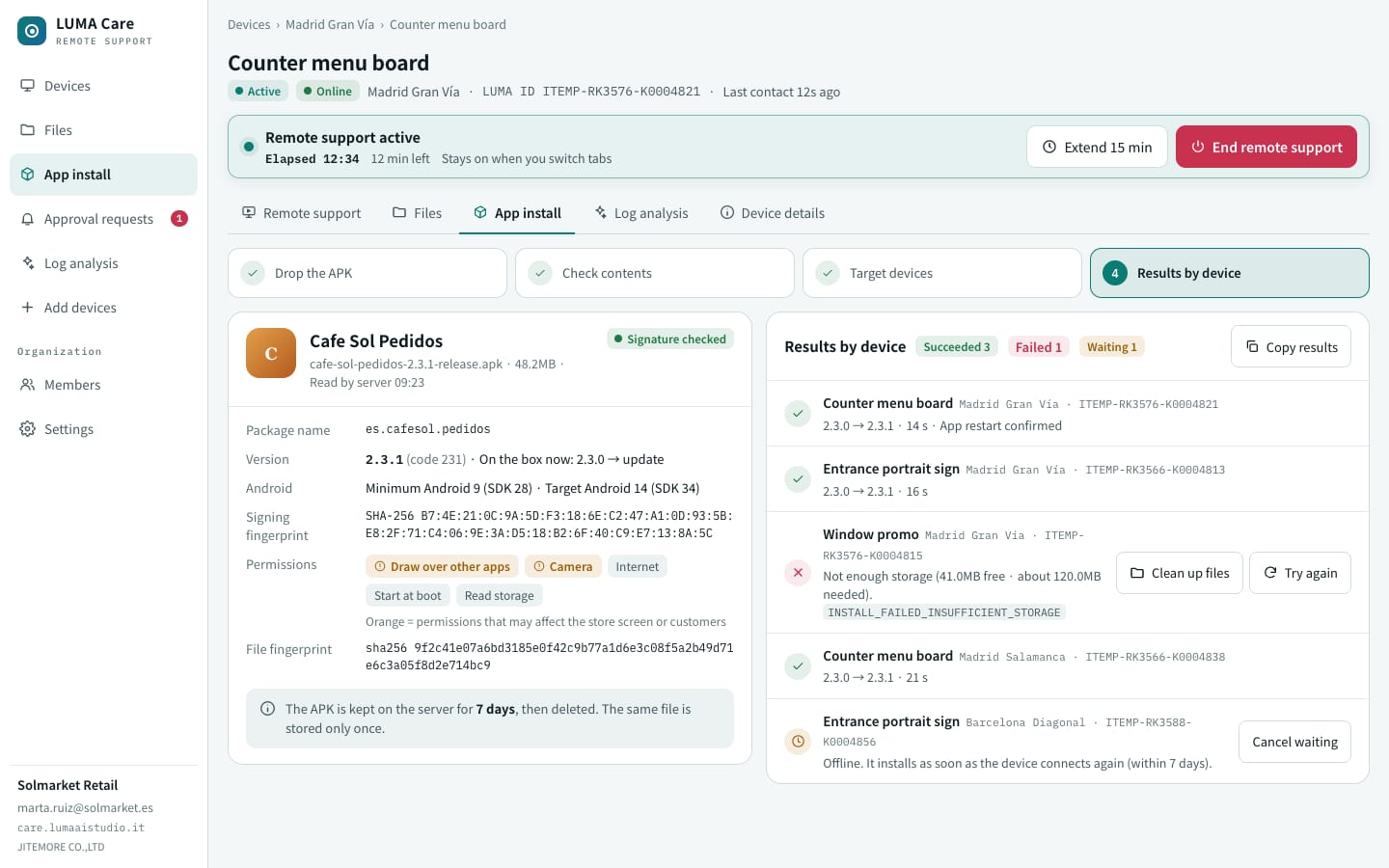
Drop an APK and see its package, version, signature and permissions first; choose this box or several, install, and get a result for each device.
Your administrators can install new apps and same-signature updates right away. Overwriting with a different signature, downgrading or replacing system apps is left to the LUMA operations team. APKs are kept on the server for 7 days, and the same file is stored only once.
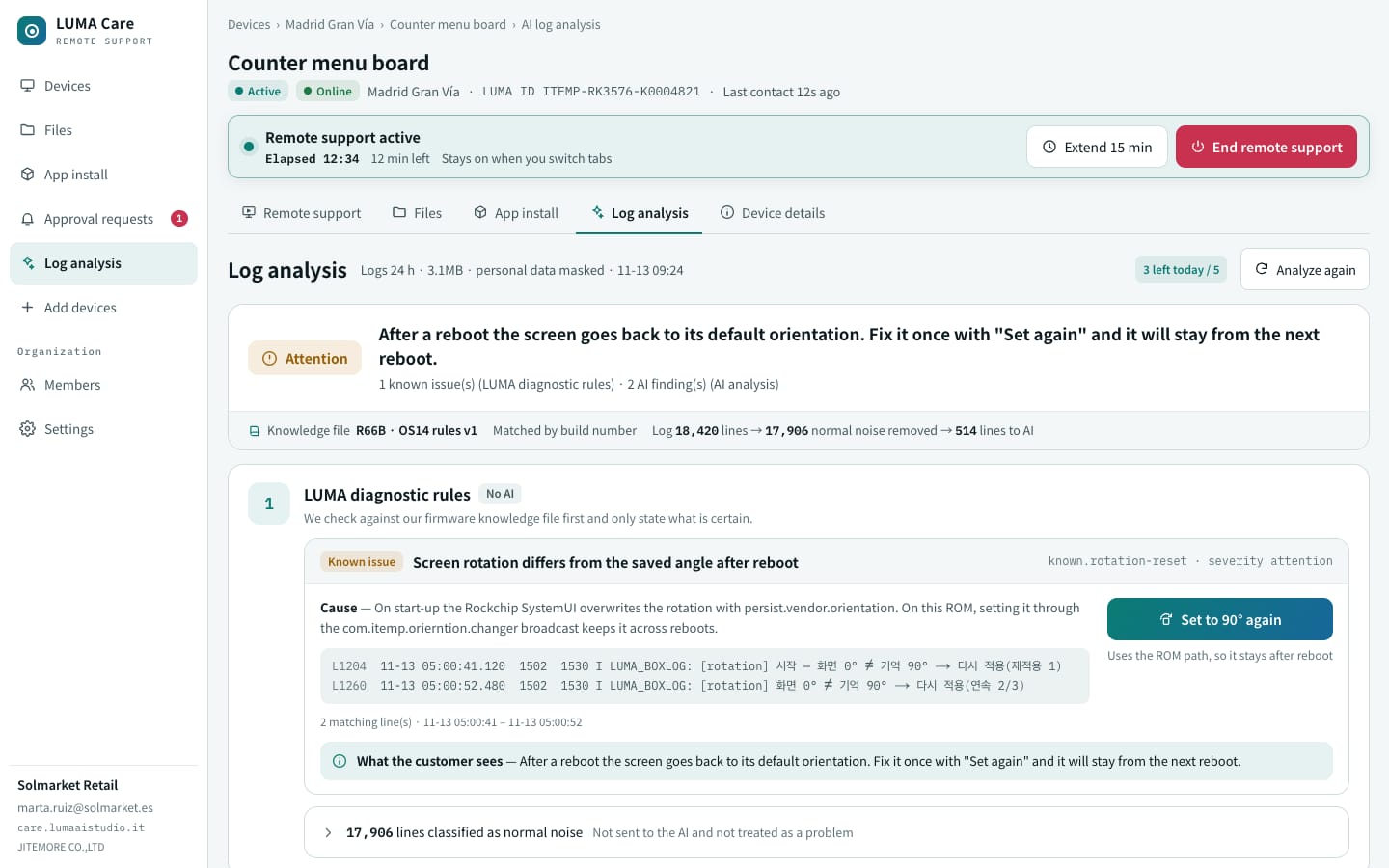
Diagnostic rules built from known issues and normal noise on our firmware read the logs first. Clear-cut cases are reported right away, without AI.
AI analyzes only the lines left after normal noise is removed, and never draws a conclusion without supporting lines.
Reports one of: within normal range · check suggested · LUMA support team will check — with wording you can show the customer.
Known issues come with an action button you can press right away, such as “Set back to 90°”.
Personal data in logs is masked, and each administrator has a daily analysis limit.
Equipment
Box with LUMA Care built in — currently for boxes without the LUMA AI CMS app (such as LUMA PLAYER boxes)
RequiredThe box connects out to the LUMA server first, so no ports need to be opened on the store router
RequiredDevices, remote support, files, app installs and log analysis in the LUMA Care console (care.lumaaistudio.it) — just a web browser
RequiredHow it works
Use cases by industry
LUMA PLAYER stores
Keep LUMA Care On and check with the remote screen and log analysis
Fewer trips to the store for small problems
High-security stores and organizations
Turn on approve-every-time and leave boxes in Standby or Fully off when not needed
The client decides who sees what and when — and can check the record
Installers and maintenance companies
Change apps and content remotely with APK install and the file explorer
Many boxes updated at once, without a site visit
Developer customers with their own app
Check status with the device info card and log analysis
The cause is narrowed down without going on site, ready for your dev team
Get started
Tell us your store size and the equipment you use, and we'll recommend the right setup and quote. We'll also check your existing screens and printers.
Specs
Works even better together
Frequently asked questions
No. In Standby the box sends only its LUMA ID, app version and online status — no screen, logs or files. Even when Care is On, a badge shows on the box screen during remote viewing, and with approve-every-time on, every session needs your administrator's approval.
Choose “Fully off” on the store's box screen with the admin PIN and the box stops connecting to LUMA at all. Turning it back on is also only possible on the box, so it can't be switched on quietly from the console.
No. When your administrator agrees in the console and presses “Start using”, every standby box in the organization switches to On at its next check-in (about a minute). No store visits needed.
LUMA Remote Support is the console feature for LUMA AI CMS boxes. LUMA Care is a separate service for boxes running LUMA PLAYER or your own app without CMS, and adds the Standby/On/Fully off states, approve-every-time, app installs and AI log analysis.
Your administrators can install new apps and updates with the same signature. Overwriting an installed app with a different signature, downgrading, or replacing system apps is done only by the LUMA operations team. The package, version, signature and permissions are shown before you install.
Remote management needs the box to reach the LUMA server over the internet. In stores without internet, LUMA PLAYER keeps playing ads locally.
LUMA Care pricing hasn't been set yet. Send us an inquiry and we'll get back to you based on your number of boxes and the features you need.
Our team will help you work out the setup and quote.