LUMAAI STUDIO

Store Screens

LUMA Welcome Sign

Let your screens greet important guests first

At a glance · LUMA Welcome Sign

LUMA Welcome Sign is a LUMA AI CMS feature that puts a welcome screen on the signage in your store or office once you enter a visitor's company, names, purpose and time — and switches the screen back to its regular content when the visit is over. Choose from 20+ still and motion templates in landscape, portrait and stretch sizes, with the guest's language and your own shown together on two lines. It runs on the signage players you already use, so there is no new device or app to install.

Who it's for

  • Corporate lobbies and showrooms that host clients and partners
  • Hotels and resorts welcoming VIP and group guests
  • Hospitals, schools and public offices with scheduled visits
  • Trade show booths and sales offices meeting buyers
  • Factories and labs that run guided tours
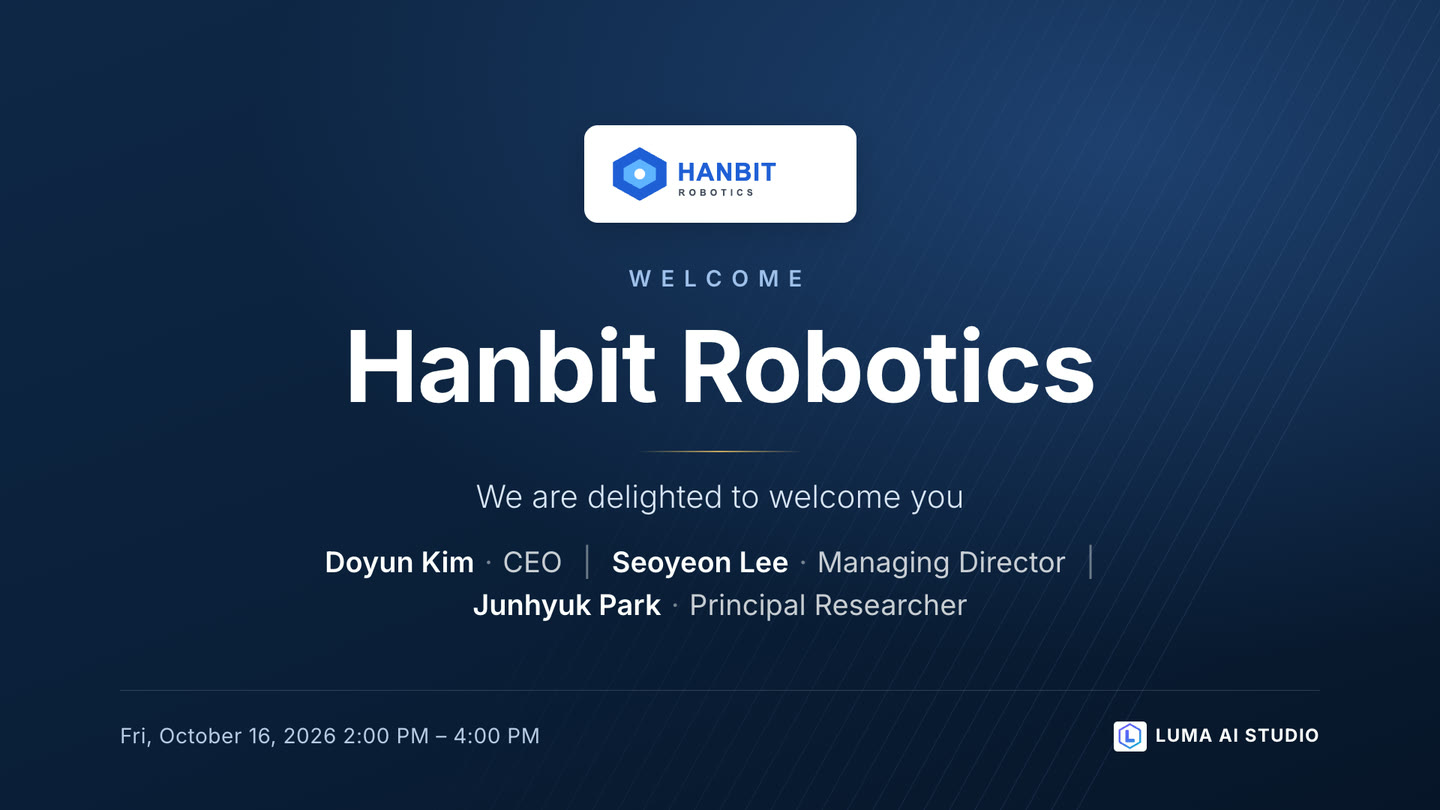
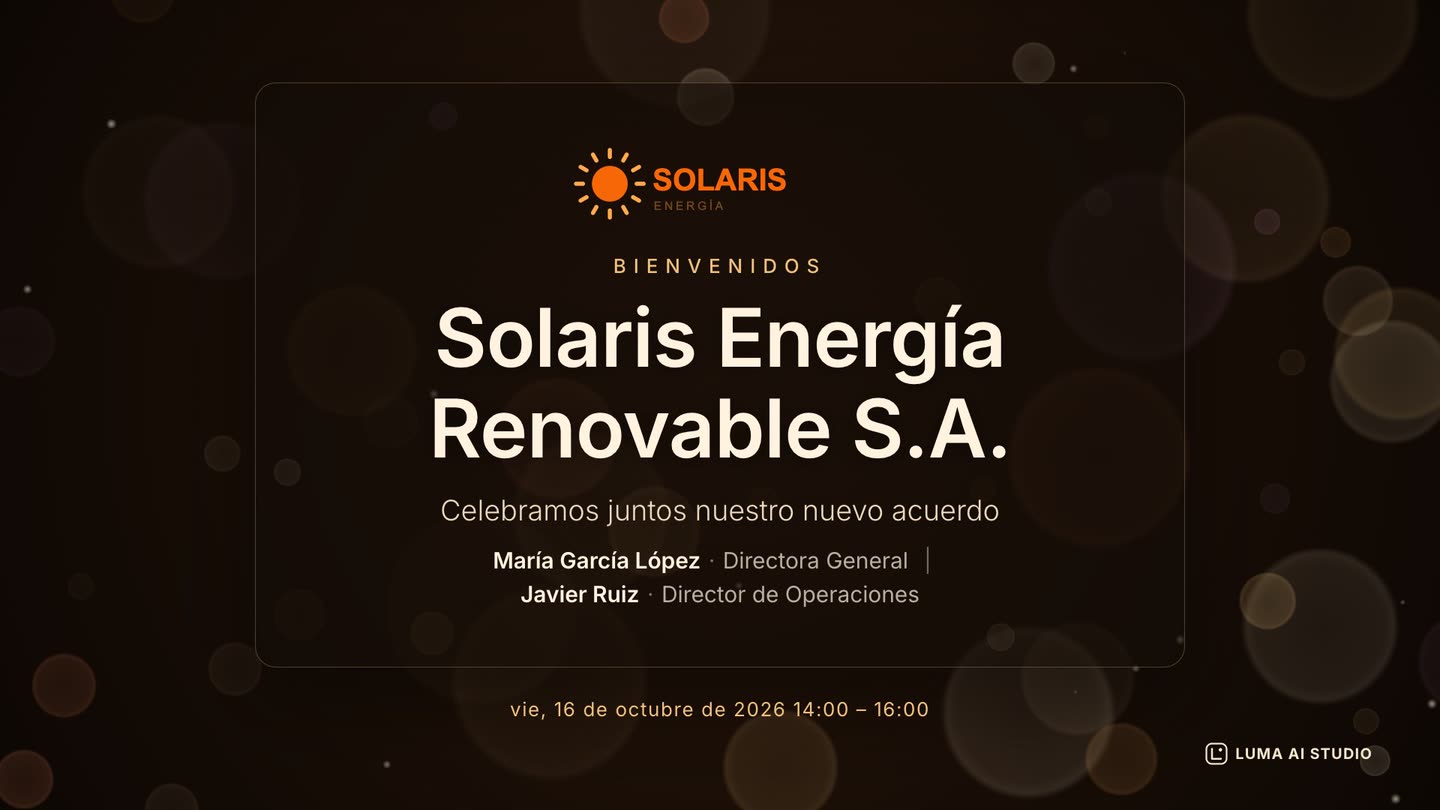
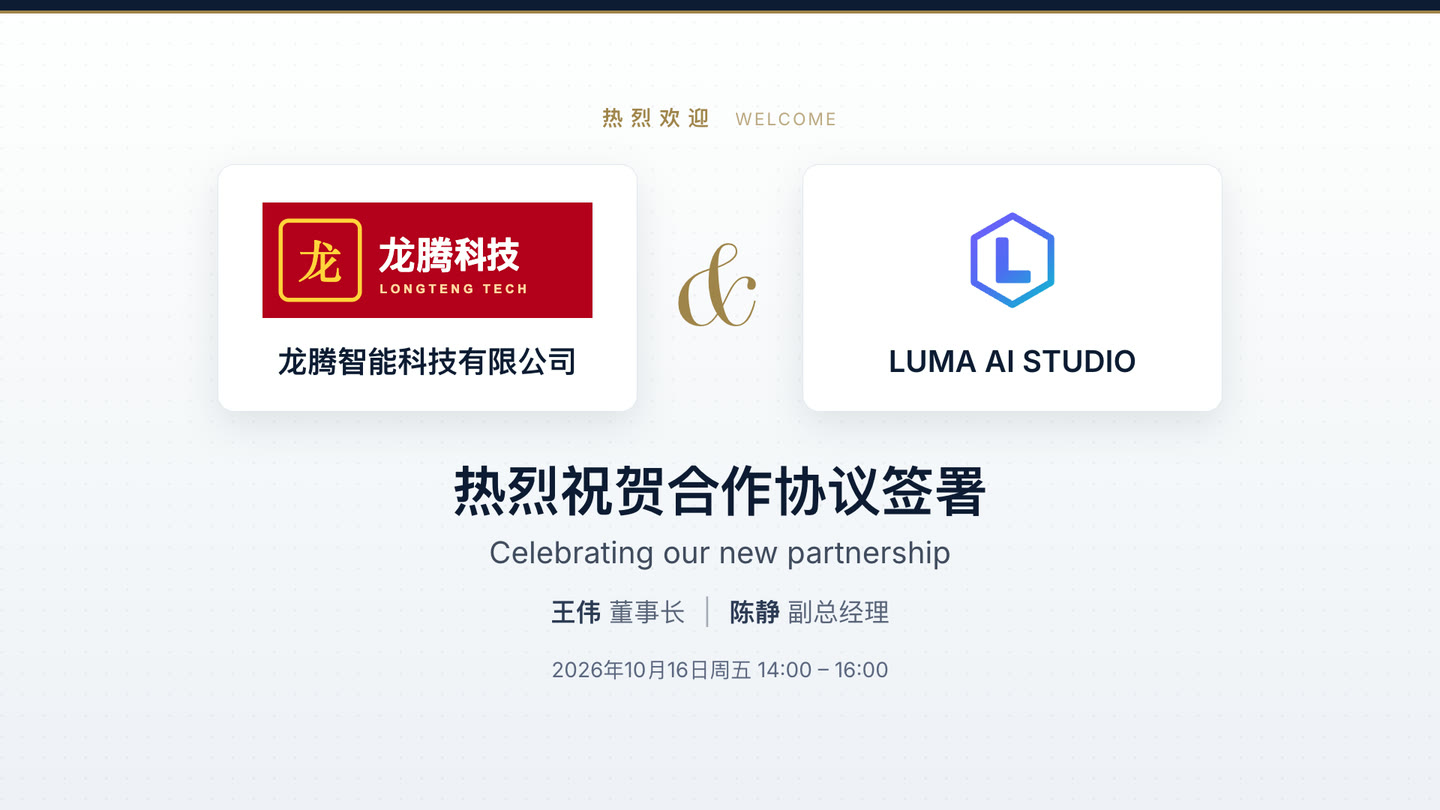
Real screen of LUMA Welcome Sign

Actual template screens · sample companies and names (fictional)

If this sounds familiar

Still ordering a printed welcome banner for every visit?

Key features

01 / 04

Templates

LUMA Welcome Sign — Templates

20+ still and motion designs

Pick a calm still design or a subtly moving motion design. Motion templates are pre-rendered as looping video on the server, so they are light on the player.

Three sizes: landscape, portrait, stretch

Use the same design on landscape (1920×1080), portrait (1080×1920) and stretch (1920×540) screens.

Your logo, automatically

The organization logo registered in the console fills the host spot automatically — just upload the guest company's logo.

Approved designs, kept intact

Type sizes and layout are fixed in each template, so even long names fit without breaking the design.

02 / 04

Broadcast and auto-return

LUMA Welcome Sign — Broadcast and auto-return

Only on the screens you choose

Pick the devices — the portrait screen in the lobby, the TV in the reception room — and the welcome screen goes only there.

Now or scheduled

Set a start and end time to match the guest's arrival, and the screen changes on its own.

Back to the regular schedule

When the time is up, the screen returns to its regular programming automatically. No one has to remember to switch it back.

Works alongside emergency broadcasts

If an emergency broadcast goes out during a welcome, the screen still returns correctly once it ends.

Favorites

Save frequently used template-and-device combinations as favorites and reuse them for the next visit.

03 / 04

Run it from the store

LUMA Welcome Sign — Run it from the store

Store accounts can send it too

Store accounts with permission can put a welcome screen on their own store's devices without waiting for head office.

Delegate with permissions

Decide with permissions who can create and send welcome screens.

Preview before sending

Check names and logos in a full-size preview before it goes on screen.

04 / 04

In the guest's language

LUMA Welcome Sign — In the guest's language

6 languages

Write the greeting in Korean, English, Spanish, Japanese, Chinese or German.

Two-line greeting

The guest's language appears large and yours in smaller type, so guests and staff can both read it at a glance.

Before your guest opens the door, the screen says hello

Built from a few answers, and it switches back on its own · AI-generated video

Equipment

Runs on this equipment

LUMA box (RK3566 · RK3576)

The signage player you already use — it receives the welcome screen and returns to the regular schedule when it ends

Required

Signage display (landscape · portrait · stretch)

Lobby, entrance and reception screens — landscape 1920×1080 · portrait 1080×1920 · stretch 1920×540

Required

Admin PC & phone

Answer the questions, pick a template and send it from the LUMA console — all you need is a web browser

Required

How it works

From setup to operation

The day an important guest visits

  1. Enter the guest's company, names, party size, purpose and time in the console
  2. Choose a still or motion template
  3. Preview it at the actual screen size
  4. Pick the devices and the start and end time, then send
  5. When the guests arrive, the welcome is already on the lobby screen
  6. At the end time, the screen goes back to its regular schedule

Use cases by industry

How these stores use it

Corporate lobby & showroom

For a company that ordered a printed banner for every client visit or signing ceremony

a welcome screen with the guest company's logo and names on the lobby's portrait display

is ready the same day with no printing or installation, and the screen switches back by itself afterwards

Hotels & resorts

For a hotel greeting groups and VIP guests at the front desk

a two-line welcome in the guest's language, scheduled for their arrival time,

means international guests are welcomed in their own language from the first moment

Factory & lab tours

For a production site that frequently hosts overseas buyers

motion welcome screens along the tour route

make a prepared, professional impression while staff focus on the guests

Get started

LUMA Welcome Sign, tailored to your store

Tell us your store size and the equipment you use, and we'll recommend the right setup and quote. We'll also check your existing screens and printers.

  • Live demoWe'll walk you through ordering, publishing, and management on real screens.
  • Custom setup & quoteWe pick only the solutions and equipment you need based on your industry, seating, and screen count.
  • Remote support after installationCheck device status in the console, and if an issue comes up, we'll help resolve it remotely.

Specs

Templates
20+ (still · motion)
Screen sizes
Landscape 1920×1080 · portrait 1080×1920 · stretch 1920×540
Inputs
Guest company · names · party size · purpose · time · logo
Broadcast
Selected devices · now / scheduled · automatic return to the regular schedule
Motion templates
Pre-rendered as looping video on the server (light on the player)
Languages
Korean · English · Spanish · Japanese · Chinese · German (two-line greeting)
Requirements
Signage players running LUMA AI CMS (no new app to install)
Permissions
Welcome screen edit permission · store accounts limited to their own store's devices

Frequently asked questions

Do I need a new device or app?

No. It plays on the signage players you already run with LUMA AI CMS. The server renders the welcome screen as an image or video, so nothing new has to be installed on the device.

Does the screen go back to normal afterwards?

Yes. At the end time the device returns to its regular programming automatically — even if an emergency broadcast went out in between.

Can store staff put up a welcome screen themselves?

Yes. Store accounts with permission can send a welcome screen to their own store's devices without head-office approval.

Can I greet international guests in their language?

Six languages are supported: Korean, English, Spanish, Japanese, Chinese and German. The guest's language is shown large with your own language in smaller type on a second line.

When is visitor information such as guest names removed?

Visit details are used only to show the welcome screen and are cleaned up after a set period. We will explain the retention rules in detail when you contact us.

How much does it cost?

It depends on your LUMA AI CMS setup. See the Pricing page, or contact us and we will recommend the right setup and send a quote.

Tailor it to your store now.

Our team will help you work out the setup and quote.

Contact sales All solutions
LUMA Welcome Sign — LUMA AI STUDIO